



Wedding dinners and speeches
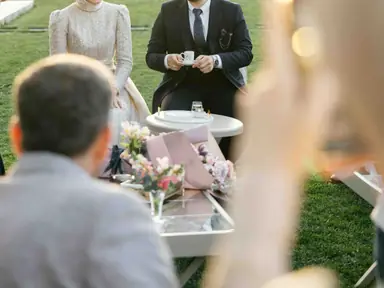
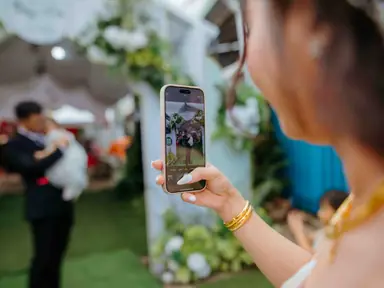
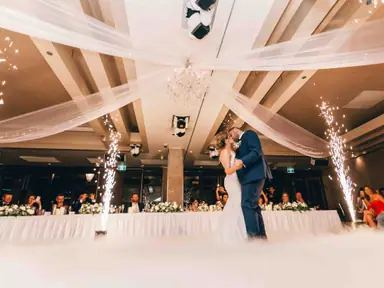
Run the wall through dinner and between toasts. Guests see the ceremony and cocktail hour from other people's phones while the day is still going. Wedding photo sharing has a full reception plan.
Open the display link on any screen with a web browser. As guests upload from their phones, each new photo jumps to the front of the slideshow, so the room watches the event unfold on screen. No playlist to build, and nobody stuck at the laptop.
Press Add photos on the phone, or drop a photo on the wall. It stays on your device and is never uploaded.
Mia & Leo
12 October 2026
Live · 127 photos

heygrats
01Live vs pre-made
A slideshow is made before the event: someone gathers photos, puts them in order and presses play. A live photo wall is made during the event. Guests upload from their phones and the display picks up each new picture on its own, usually within seconds, without anyone touching the computer that runs the screen.
That changes how people treat the screen. Guests watch for their own photos, take more of them, and the wall becomes a running record of the night instead of a loop of old pictures. You'll see it written as photo wall and as photowall; it's the same idea. For a longer explainer, read what a live photo wall is.
02How it works
One browser tab drives the screen. Guests feed it from their phones.
01
Copy the wall link from your event dashboard and open it on the laptop, smart TV or media player behind the screen. Double-click the wall to go full screen.
02
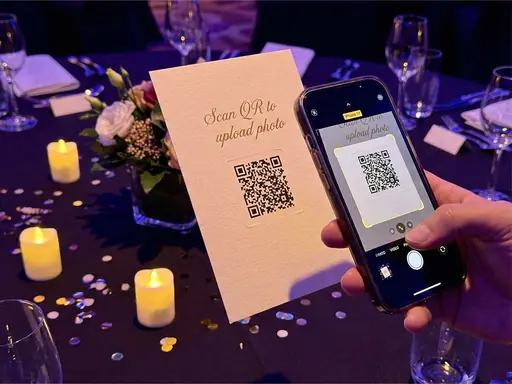
The QR code on the screen and on your signs opens the upload page. Each photo a guest sends is added to the wall and to the event gallery.
03
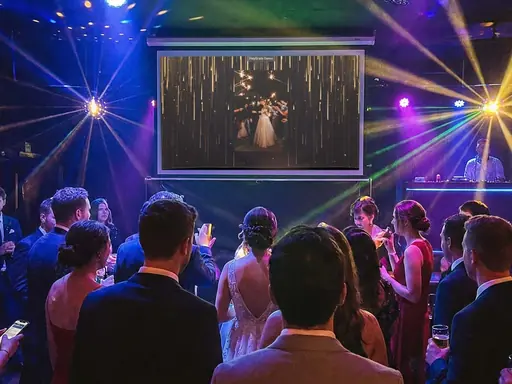
Fresh uploads play next. Between them the wall cycles through earlier photos, in order or shuffled, so the screen never sits still.
03Use cases
The wall earns its place wherever a room full of people is looking at the same screen.
Run the wall through dinner and between toasts. Guests see the ceremony and cocktail hour from other people's phones while the day is still going. Wedding photo sharing has a full reception plan.
Between categories, the screen shows the room to itself: table shots, winners with their trophies, the queue at the photo backdrop. It fills the gaps every running order has.
Put the wall on a screen beside the DJ booth. The dance floor photographs itself, and guests start watching for their own shots between songs.
A live wall at a charity dinner or a club celebration shows supporters and volunteers the event they made happen, while they are still in the room.
04Features
Built for a screen that has to run for hours without anyone looking after it.
New uploads reach the wall on their own. There is no refresh button to press and no playlist to rebuild.
Fade, Slide, Float or Polaroid toss. Keep each photo up for 3 to 15 seconds, and shuffle if you like.
Pick one of six animated backdrops on any plan, or put your own image or looping background video behind the photos on a paid plan.
A large code greets the room before the first photo, then a smaller one sits in a corner. Turn its opacity down if you'd rather hide it.
With Message Cards turned on, short written wishes from guests play on the wall between photos.
On paid plans, uploads can wait for your approval, so nothing unexpected reaches the screen.
05Screen setup
Most live wall problems are really screen problems. Run through this before guests arrive.
A laptop connected by HDMI is the most predictable setup. Smart TV browsers work too, and older ones get a simplified slideshow, but they vary more from model to model.
Turn off sleep, screen savers and automatic updates on the device running the wall, and keep it plugged in.
Open the display link and double-click the wall so tabs and toolbars disappear.
The wall needs internet to receive new photos. If the Wi-Fi drops, photos already loaded keep playing and the wall catches up once it reconnects. A phone hotspot makes a good backup.
Before the first upload, the wall shows a large QR code inviting the room to scan. Add a few photos yourself if you would rather open with pictures on screen.
For formal or public events, hold uploads for approval and choose who checks the queue during the busiest hour. The pricing page shows which plans include it.
06Keep reading
Usually within seconds. Once a photo has finished processing it goes to the front of the queue and plays next. With approval turned on, it appears after you approve it.
A screen, a device with an up-to-date web browser to drive it, and an internet connection. Guests use their own phones.
Yes. Open the same display link on each screen. Each one runs the wall on its own timer, so the screens are not kept in sync with each other.
Photos already on the wall keep cycling. When the connection comes back, the wall picks up the uploads it missed.
Yes. On any plan you can choose the transition, how long each photo stays up, a built-in backdrop and the title colour. Paid plans add your own background, and Host Annual removes the small HeyGrats badge.
Yes. People use both spellings for the same thing: a screen at an event that fills with guests' photos as they share them.
Your event, tonight
Create your event, open the display link on the big screen, and let the room fill it.