



50th, 60th and beyond
Ask guests to upload a photo from each decade they have known the birthday person. The wall mixes old snapshots with tonight's, which gets people telling stories.
Put a QR code by the cake and the wall on the TV. Friends and family share party photos and old favourites from their camera rolls, and the screen turns into a birthday slideshow nobody had to make.
Press Add photos on the phone, or drop a photo on the wall. It stays on your device and is never uploaded.
Sarah turns 30
12 October 2026
Live · 127 photos


heygrats
01Why a photo wall
Someone always volunteers to make the birthday slideshow, then spends the week before the party chasing photos. A birthday photo wall hands that job to the guests. Share the link ahead of time and ask for throwbacks: school photos, old holidays, the questionable haircut. On the night, everything taken at the party joins them.
The TV plays it all as it comes in, the guest of honour sees who has been thinking of them, and afterwards every picture sits in one gallery instead of forty phones. Guests who would rather write something can leave a birthday note in the digital guest book, on one of four birthday card designs.
02How it works
Set it up before guests arrive. The party does the rest.
01
Name it after the birthday person and set the date. You get a link for the invitation and a QR code to print.
02
Guests send a few throwbacks ahead of the day, then everything they shoot at the party, straight from their camera rolls.
03
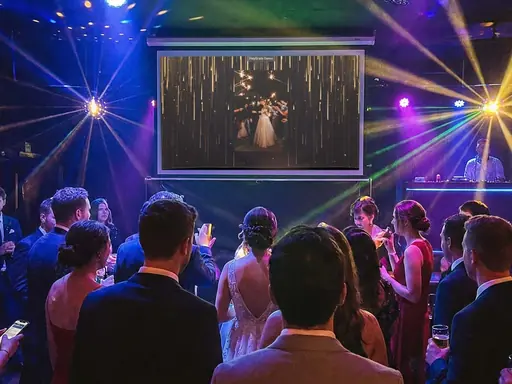
Open the display link on the TV, or on a laptop plugged into it. New photos play next, in between the throwbacks.
03Use cases
The same setup works for a kid's party in the garden and an 80th in a restaurant. How you use it changes.
Ask guests to upload a photo from each decade they have known the birthday person. The wall mixes old snapshots with tonight's, which gets people telling stories.
Set everything up in advance and share the link with guests only. By the time the birthday person walks in, the wall is already full of throwbacks and wishes.
Parents share from the sidelines while the kids play. Keep the link within the parents' chat, and use a paid plan if you want to approve each photo before it reaches the TV.
Relatives who cannot make the trip send photos and messages through the same link from wherever they are, and those play on the screen at the party too.
04Features
Nothing to rent and nothing to learn. It runs on the TV you already have.
Guests can share any photo on their phone, not just ones from tonight, so baby pictures and old holidays can join the party.
Turn on Message Cards and guests write a short wish on a birthday card design. The cards play on the wall between photos.
A laptop on HDMI or the TV's own browser is all the wall needs. Pick the Gold or Pink backdrop to match the party.
Paid plans let you approve each photo before it appears on the TV, and you can delete anything from the gallery on any plan.
After the party, guests browse the gallery and save their favourites. Paid plans add a ZIP of the whole set.
Start on the free plan without a card. If the party needs more photos or a longer window, upgrade that one event with a one-time Event Pass.
05Party timeline
Five small jobs, spread over the week of the party.
Add the link to the invitation or group chat and ask for throwbacks. Free events hold a limited number of uploads before the party date, keeping room for the night itself; an Event Pass lifts that limit.
Put it on the cake table, the drinks table and by the front door, with one line such as "Add your photos to the birthday wall".
Open the display link on the TV, double-click for full screen, and check the throwbacks are already playing.
Whoever gives the toast can mention the QR code. The minutes after the candles are when the most photos get taken.
Send the gallery link to everyone who came. The pricing page shows how long each plan keeps the photos, so download the ones you want for good.
06Keep reading
Yes. Guests choose any photo from their camera roll, so throwbacks and baby pictures work as well as tonight's shots.
Yes. Anyone with the link can upload from wherever they are, and their photos appear on the wall at the party.
Share the link with guests only, not in a group the birthday person is in, and keep the TV switched to another input until they arrive.
Yes, with a little setup. Share the link only with parents, and use a paid plan if you want to approve each photo before it appears on the TV.
You can start free, without a card. A one-time Event Pass upgrades a single party when you need more photos, a longer window or moderation. Current prices are on the pricing page.
Yes. Turn on Message Cards and guests can write a short birthday wish on a card from their phone. Each card plays on the wall and stays with the event.
Your event, tonight
Create the party event, send the link with the invitations, and let the guests make the slideshow.