



Live photo wall
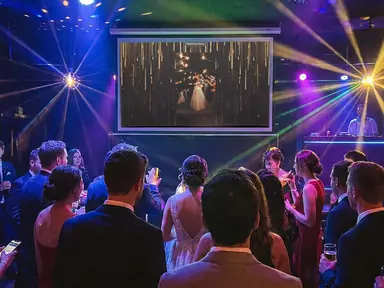
Any TV, projector or laptop becomes the wall.
Open your display link in a browser and new photos arrive in real time, in the motion style you choose.
- Toss
- Float
- Slide
- Fade
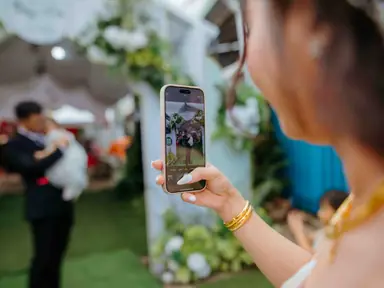
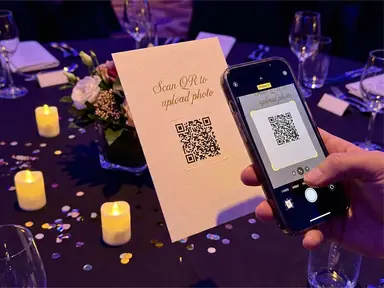
Guests scan one QR code and share photos from their phone browser, with no app and no sign-up. Every shot lands on your live photo wall in seconds, and stays in one gallery after the party.
Press Add photos on the phone, or drop a photo on the wall. It stays on your device and is never uploaded.
Mia & Leo
12 October 2026
Live · 127 photos

heygrats
01How it works
Guest photo sharing works best when there is nothing to explain. One QR code does the whole job.
Mia & Leo
Share your photos
No app needed
01
Put one QR code on tables, signs or the screen itself. Guests point their camera at it and they are in.
Mia & Leo


02
They take or pick a photo in their phone browser. No app store, no account, no group-chat chaos.
03
It lands on the live wall for the room to cheer, and in your gallery for the morning after.
02After the party
Nothing lost in group chats or a dozen cloud albums. Every guest photo from the night sits in one gallery you can share the morning after.
03For weddings
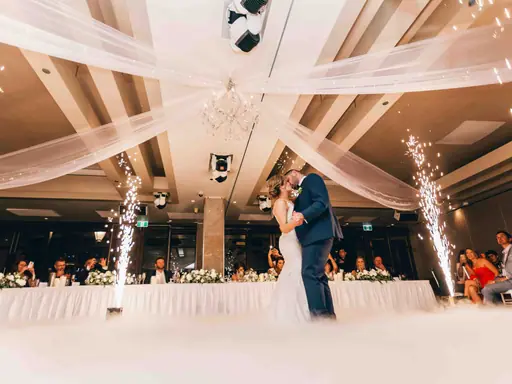
Your guests’ candid shots and your photographer’s edited set shouldn’t end up in one pile.
A photographer’s full set can run to hundreds of photos. The free plan takes 150 per event, and you can upgrade just that event when you need more.
Create your free event04Features
Live photo wall
Open your display link in a browser and new photos arrive in real time, in the motion style you choose.
QR guest uploads
Guests upload from any phone browser. No app install, no guest account, no password to remember.
Moderation
Approve each photo before it goes live with a paid Event Pass or plan. On any plan, delete anything from your dashboard.
Message Cards
From the same QR code, guests write a card. It can play on the wall and is kept in your album.
About the digital guest bookInvitations & RSVP
Send email invitations or share one RSVP link, and ask guests for their photos before the day even starts.
Gallery & downloads
Share the gallery link after the event and save any photo on any plan. A paid Event Pass or plan adds Download All as a ZIP.
05Use cases
06Pricing
No. Guests scan your QR code or tap your event link, then upload from any phone browser.
Learn moreYes, with a paid Event Pass or plan. In your event settings, turn on "Enable moderation" and switch off "Auto-approve uploads", and new photos wait for your approval before they reach the big screen. On any plan you can delete a photo from your dashboard.
Learn moreYou can open your unique display link on any laptop, tablet, or smart TV browser. Connect a laptop to a projector or large TV for the best experience.
Learn moreYes, until the event expires. From your event dashboard you can save photos one at a time on any plan, and a paid Event Pass or plan adds Download All as ZIP for the whole event. The pricing page shows how long each plan keeps an event.
Learn moreYes. Paid event upgrades unlock cleaner custom links, event backgrounds, and branded presentation controls.
Learn moreYou can start free, then upgrade the event when you need more uploads, a longer access window, downloads, or pro controls.
Learn moreYes. Every event includes a digital guest book (Message Cards) that you switch on in your event settings. Guests scan the QR code or open the link and write personal messages in a card format, with no app to download. Messages appear in your dashboard and event album, can play on the live wall, and are kept for as long as the event is.
Learn moreYour event, tonight
Give them one QR code and a screen to fill. Free to start, and set up in about a minute.