
HeyGrats for weddings
QR code wedding photo sharing for every guest
Collect wedding guest photos with a QR code, show them on a live photo wall, and keep everything in one private gallery.
How it works
One QR code replaces the post-wedding photo chase
Guests already have the best candid photos. HeyGrats makes it easy for them to add those moments before they disappear into messages, albums, and forgotten camera rolls.
Create your wedding wall
Set up a private wedding gallery and guest upload link before the day starts.
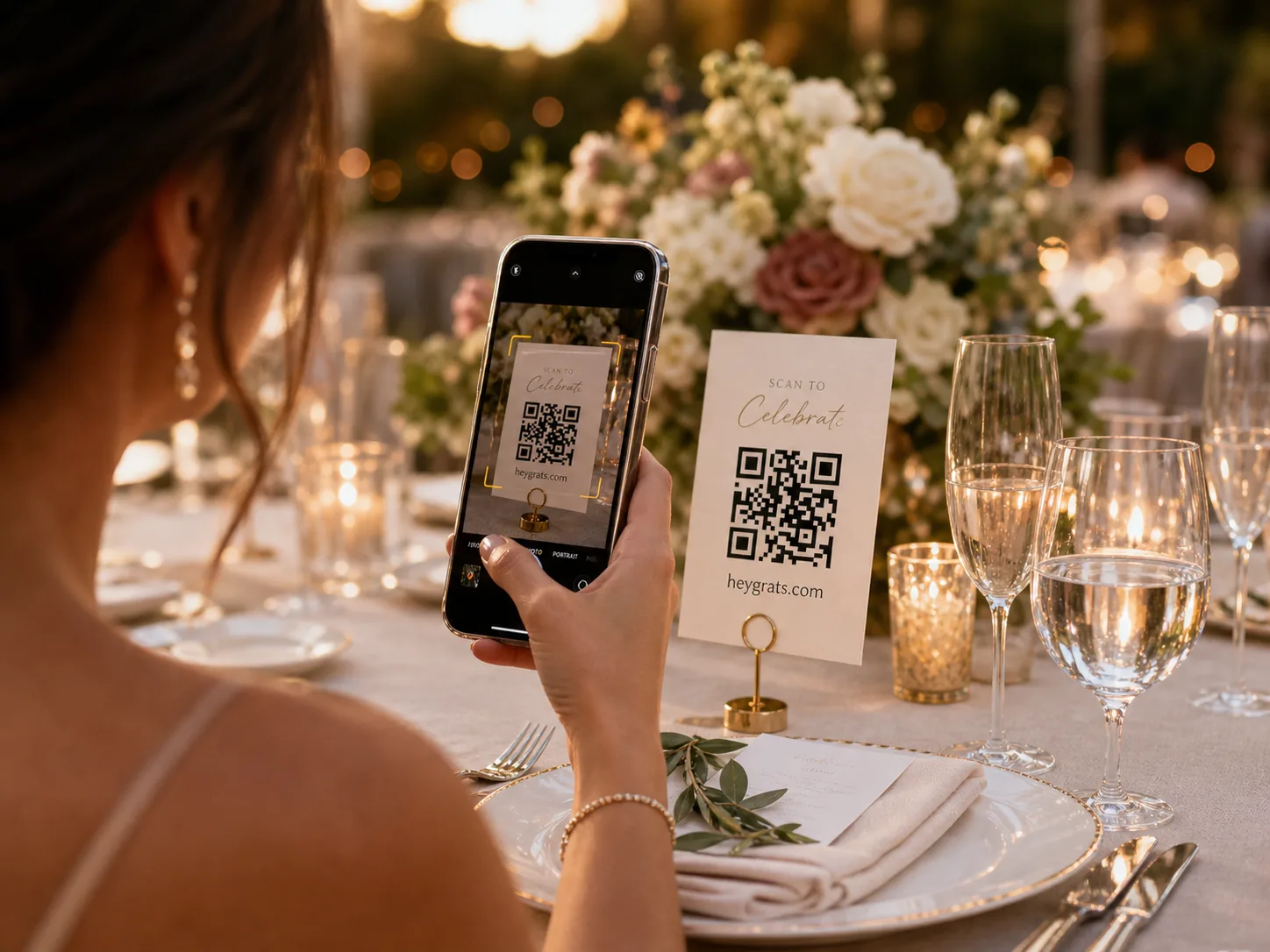
Share one QR code
Add it to table signs, the welcome board, programs, or a projector screen.
Guests upload from their browser
No app install, no account, and no chasing photos through group chats later.
Show the live photo wall
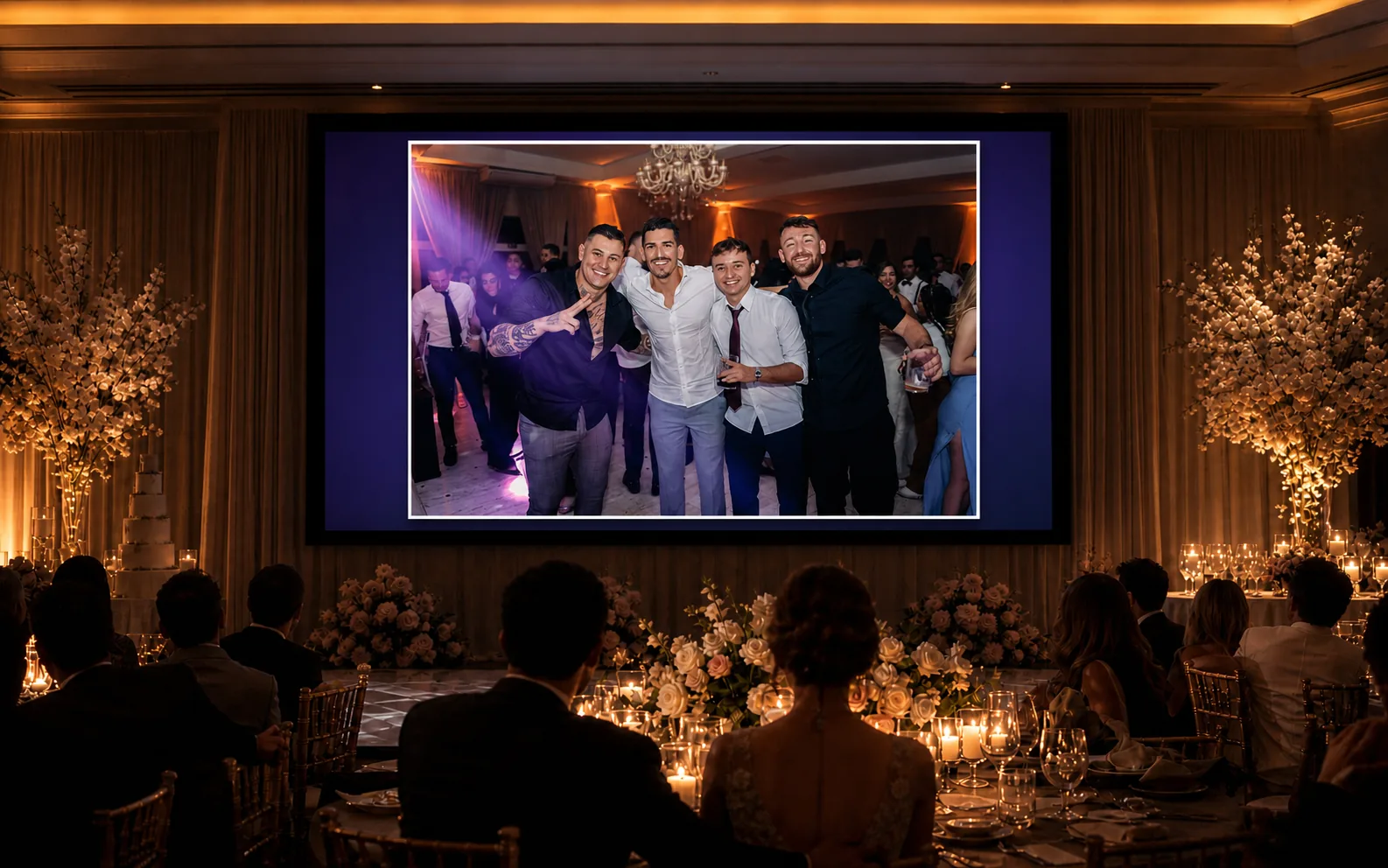
Bring guest photos onto a screen during the reception, then keep the gallery after.
More than an album
Turn guest uploads into part of the reception
A shared folder collects photos. A live wedding photo wall brings them into the room while the celebration is still happening.
- QR code guest uploads for photos and text messages
- A live wedding photo wall for reception screens
- Private gallery links for after the celebration
- Moderation controls before photos appear live
- Downloadable memories after the event
Wedding photo sharing, explained
One QR code for the candid photos your photographer cannot be everywhere to catch
Wedding photo sharing is the simple way to collect the pictures guests already take during the ceremony, cocktail hour, dinner, and dance floor. HeyGrats gives every guest the same private upload path, then turns those moments into a live wall and a gallery you can revisit after the day.
No app for guests
Guests scan the wedding QR code and upload from their mobile browser.
Private by link
The event page is built for guests with the QR code or shared link.
Live reception screen
Show approved uploads on a TV, projector, or venue display while the celebration is happening.
Downloads after the day
Keep the guest gallery together and export the memories when the event is over.
QR code vs shared albums
Built for guests who will not install another wedding app
The best wedding photo app is the one guests actually use. A QR upload page removes the extra steps that usually stop people from sharing photos during a busy reception.
HeyGrats QR code
Guests scan once and upload from their browser.
No app, guest account, hashtag, or shared-folder invite.
Photos, text messages, moderation, live wall, gallery, and downloads stay together.
WhatsApp or iMessage group
Guests need to join the right chat and remember to post.
Photos mix with messages and are often compressed.
Good for conversation, weak for organizing and downloading every memory later.
Google Photos or shared albums
Guests often need an account, app, or invite flow.
Older relatives and mixed phone users can get stuck.
Useful for storage, but it does not create a live reception screen or event-branded flow.
Wedding hashtag
Guests post publicly and remember the exact tag.
Private guests, non-social users, and compressed uploads are easy to miss.
Good for public buzz, unreliable for collecting every candid photo.
Wedding QR code checklist
How to collect more wedding guest photos
The tool matters, but placement matters too. Use the same QR code in the moments where guests naturally take out their phones.
- 01
Create the event before invitations go out
Use the event link on your wedding website, WhatsApp group, or save-the-date so close family can test the flow early.
- 02
Print the QR code in more than one place
Put it on the welcome sign, guest book table, bar, reception tables, and near the dance floor so guests see it when they are already taking photos.
- 03
Ask the MC or DJ to mention it once
A short announcement helps guests understand that the QR code is for sharing candid photos during the celebration.
- 04
Open the display link on a TV or projector
Use the live photo wall during dinner, cocktail hour, or the dance floor so guests get instant feedback when they upload.
- 05
Review and download after the wedding
Use the gallery and download tools to keep the best guest photos with the rest of your wedding memories.
Built for real weddings
A photo flow guests can use without leaving the celebration
Wedding day timeline
Set up one private wedding wall
Have the QR code ready for signs, tables, and the welcome board.
Guests add photos from their browser
No app install, account, or awkward download step.
Everything lands in one gallery
The candid moments stay together after the last song.
Guests keep celebrating
They scan, choose photos, upload, and return to the dance floor.
You control the wall
Moderation keeps the display polished when the venue screen is live.
The memories stay together
The gallery gives you one place to revisit and download the day.
Wedding photo sharing FAQ
What couples ask before choosing HeyGrats
Do guests need to download an app?
No. Guests scan your wedding QR code or open the guest link, then upload photos and add text messages from their phone browser.
Can we show photos live at the reception?
Yes. HeyGrats gives you a display link for a TV, projector, or venue screen so guest uploads can appear as a live wedding photo wall.
Can guests upload from iPhone and Android?
Yes. Guests use the browser already on their phone, so the upload flow works across modern iPhone and Android devices.
Can we review photos before they appear?
Yes. Moderation controls help you review guest uploads before they appear on the live wall when your event setup requires it.
Can we download the photos after the wedding?
Yes. Your wedding gallery stays available after the event, and paid Event Passes can unlock higher upload limits and download options.
Is this better than a WhatsApp group or wedding hashtag?
For collecting memories, yes. A QR code upload page keeps photos in one private event gallery instead of scattering them across chats, hashtags, shared albums, and camera rolls.
Where should we place the wedding QR code?
Use several visible spots: the welcome sign, dinner tables, guest book table, bar, DJ booth, and dance floor entrance. One QR code can work across all printed and digital materials.
Start collecting wedding photos before the first toast.
Create your event, print the QR code, and let guests fill the gallery with the photos you would otherwise miss.
Explore related features
More ways to use HeyGrats at your wedding
The same QR code upload flow powers a live reception screen, a digital guest book, and printable guest message cards.
Digital Guest Book
Collect written wishes and notes from guests alongside photos.
Read moreLive Photo Wall
Stream guest uploads onto a TV or projector during the reception.
Read moreQR Code Photo Wall
The scan-and-upload setup that powers every HeyGrats wall.
Read morePhoto Booth Alternative
A lighter, app-free alternative to renting a photo booth.
Read more