
Conferences and summits
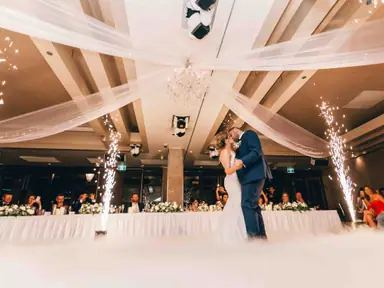
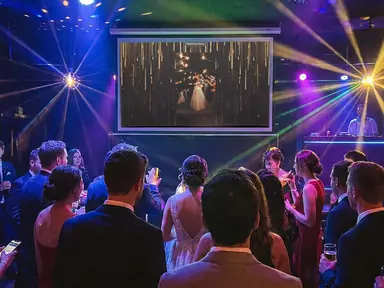
Run walls near registration, the coffee stations and the expo floor, all from one display link. Attendees see sessions they missed, and your social team gets material without chasing it.
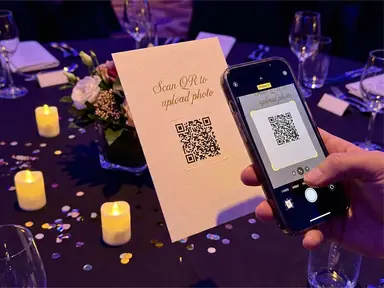
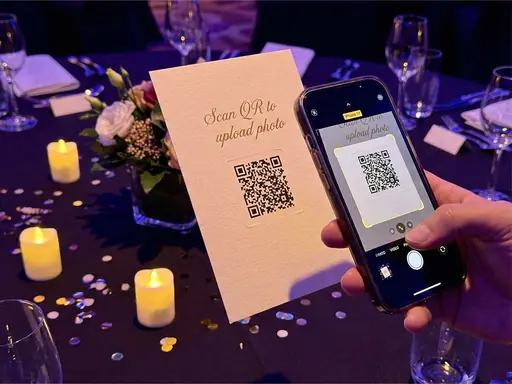
Attendees scan a QR code and share photos from their phones, with no app or login. Your team approves what reaches the venue screens, the wall plays over your own background artwork, and marketing gets the full photo set afterwards.
Press Add photos on the phone, or drop a photo on the wall. It stays on your device and is never uploaded.
Acme year-end party
12 October 2026
Live · 127 photos

heygrats
01Why companies use one
At a company event, the photos attendees take are some of the most useful material you will get: real people, real sessions, the room at its best. A corporate event photo wall collects them by QR code and shows them on screen while the event is still running, which is what keeps people sharing.
What makes it fit for business is control. Moderation holds each upload until someone on your team approves it. A custom background puts your event design behind the photos, logo and sponsor marks included. On Host Annual, colleagues join the event as collaborators instead of passing one login around. Compare the options on the pricing page.
02How it works
Set it up once, brief the room, then let attendees fill the screens.
01
Create the event, upload your background artwork, set the title colour and hold uploads for approval. On a subscription, invite colleagues as collaborators.
02
Add it to registration signage, holding slides and coffee-station cards. One code works across every room and every day of the event.
03
Approved photos play on every screen showing the display link. Afterwards, download the set as a ZIP for the recap, the intranet and social.
03Use cases
The format changes from event to event. The need for fresh, approved photos on screen does not.
Run walls near registration, the coffee stations and the expo floor, all from one display link. Attendees see sessions they missed, and your social team gets material without chasing it.
Teams from different offices meet once a year. Between sessions the screen shows them together, and the photos go straight into the recap deck.
A custom background keeps the launch artwork on screen behind every attendee photo, so the wall looks like part of the campaign rather than an add-on.
Keep approval on for evenings when the mood loosens. For a leaving do, the digital guest book collects written goodbyes alongside the photos.
04Features
What an events or marketing team needs before putting attendee photos on a company screen.
With moderation on, uploads wait until someone approves or rejects them. An optional profanity filter and keyword blocklist screen the text guests write.
Upload a background image or short looping video carrying your logo, colours and sponsor marks, with an optional colour tint. Photos play on top.
Host Annual lets teammates help approve uploads in the same event, each signing in with their own account.
Paid plans let you choose the event link, so the address guests open carries your event's name rather than a random code.
Download the approved photos as a ZIP on any paid plan, ready for the recap, the intranet or next year's promotion.
Attendees upload from the phone browser, which also works on managed work phones that block new apps.
05Event manager's checklist
A little preparation keeps the wall on-brand and everyone comfortable being on it.
Turn on moderation and switch off auto-approve, then name at least two people to work the queue at peak times, such as the first break and the evening reception.
Add a line to the signage and the pre-event email, for example "Photos you share may appear on the event screens and in the event gallery". Clear expectations make consent easier.
Design for a landscape 16:9 screen and keep logos away from the edges. Images and short MP4 or MOV loops up to 15 MB are accepted.
Registration, coffee, lunch queues and the expo floor get far more attention than a screen at the back of a session room.
Agree who downloads the photos after the event and where they go. The pricing page shows how long each plan keeps the photos.
06Keep reading
Yes. Paid plans include moderation: with auto-approve off, uploads wait in a queue and only approved photos reach the wall and the gallery.
Yes. Upload your own background artwork on a paid plan and set the title colour on any plan. Host Annual removes the HeyGrats badge from the wall.
Yes, on Host Annual, which includes collaborators, so colleagues or an agency can approve and reject uploads in the same event.
No. They scan the QR code or open the link and upload from their phone browser, which also works on locked-down work phones.
Yes. Paid plans include Download All as a ZIP file, and you can share the gallery link with attendees.
There is no separate agency plan. Host Annual suits running several events a year: five active events, 365-day retention, unlimited photos and collaborators. For client work, contact support.
Your event, tonight
Create an event, add your artwork, and give attendees one QR code to share the day.