
Here's what to write on your signs, which signs to make, how big to print them, and where guests actually stop and scan.
What every sign needs
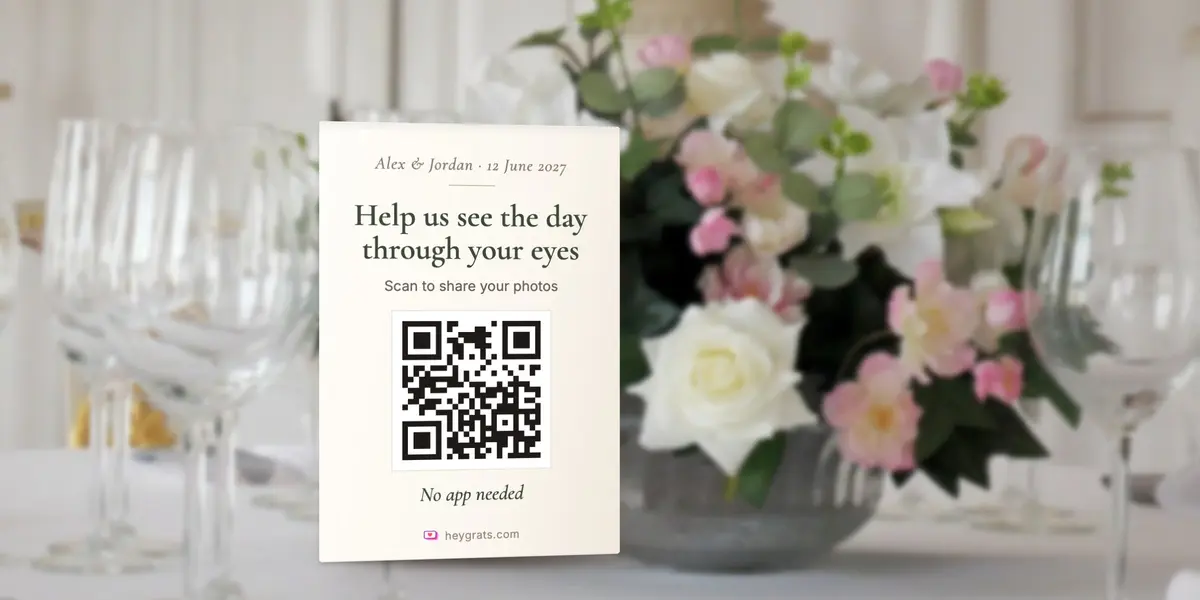
A good wedding photo sign does four things in about three seconds:
- Says what it's for. "Share your photos" beats a code on its own, which guests can mistake for the menu or the Wi-Fi.
- Says what to do. "Scan with your phone camera."
- Says there's nothing to download. "No app needed" removes the main reason people walk past.
- Shows the code large enough to scan from where guests will be standing.
Everything else, such as your names, the date or a hashtag, is decoration. Keep it small.
20 wording ideas for your QR code signs
Simple and classic
- "Share your photos with us. Scan to add them to our wedding album."
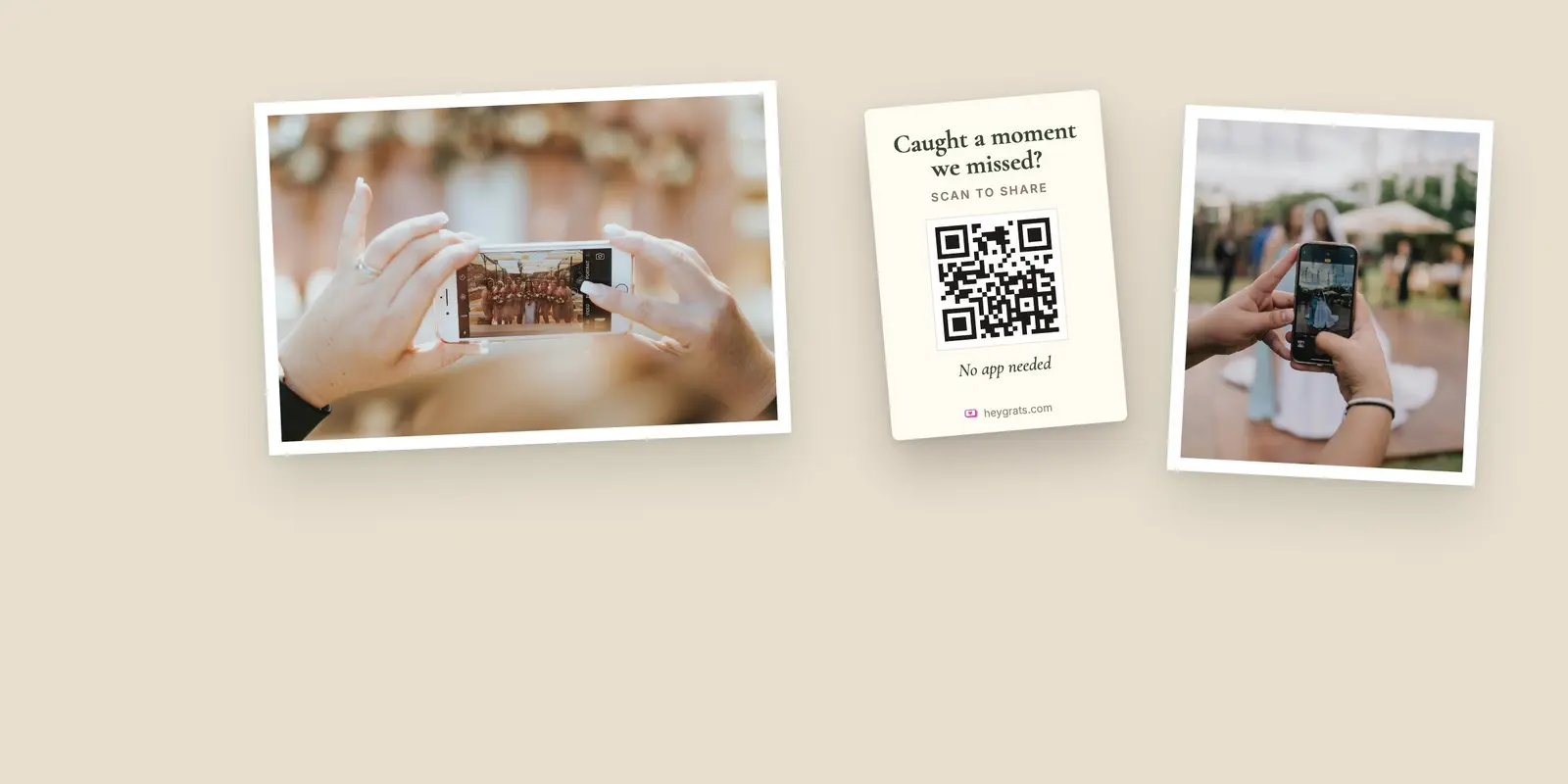
- "Caught a moment we missed? Scan here to share it."
- "Help us see the day through your eyes. Scan to upload your photos."
- "Our wedding album isn't complete without your photos. Scan to add yours."
- "Scan, upload, done. No app needed."
Warm and personal
- "We'd love to see the day from where you were sitting."
- "You were part of our story today. Add your chapter."
- "The best photos are the ones we didn't know were taken. Share yours here."
- "For the moments behind the camera: scan to share your photos with us."
Playful
- "Be our unofficial photographer. Scan to share."
- "Snap it. Scan it. See it on the big screen."
- "Your blurry dance-floor photos are welcome here."
- "We promise not to judge your selfies. Scan to upload."
- "Family, friends and plus-ones: this album needs you."
For the screen or projector
- "Want to see your photo up here? Scan the code and upload."
- "Live from the dance floor: your photos, as they arrive."
For the invitation, RSVP card or thank-you note
- "Got a favourite photo of us? Send it before the big day."
- "Missed a moment? Our album stays open for a week after the wedding."
- "Thank you for celebrating with us. Add any photos you took here."
- "Help us fill our album: share your photos from the day."
If many of your guests read another language, put both on the sign. One short line in each is clearer than one long line in two.
The signs worth making
You don't need a sign everywhere. These are the ones that get scanned.
Table cards
Table cards do most of the work. Guests sit for an hour or more, phones come out between courses, and the code is at arm's length. One small card per table, or the code printed on the menu or place card, is enough.
The bar
Guests wait at the bar with their phones already out. A small standing sign by the bar gets scanned all evening.
The welcome sign
Good for awareness, poor for scanning: guests walk past it on the way in, often in a queue. Put the code on it, but don't make it your only sign.
The guest book or dessert table
Anywhere guests stop for a minute works. If you're collecting written wishes as well, the same code can lead to both. Our digital guest book page shows how.
The screen
If you're showing a live photo wall, the QR code appears on screen with the photos, so it's always in view. This is the strongest sign of all: guests see other people's photos appear and want theirs up there too.
The invitation or RSVP
Putting the code or link on your invitation, or in your RSVP, lets guests share photos before the day: a favourite memory with you, a throwback, a snap from a holiday together. On HeyGrats, guests who accept an invitation are asked for a photo straight away, and those photos join the same album.
How big to print the code
A QR code scans from up to about ten times its own width. In practice:
- Table cards: about 3 cm (just over an inch) is fine at arm's length.
- Bar and standing signs: 5 to 8 cm.
- Welcome signs and posters: 15 cm or more if guests will scan from a few steps away.
Print it dark on a light background, on matte paper if spotlights will be on it, and test the printed sign under the real lighting before the day. Our QR code photo wall page goes into sizes and placement in more detail.
Before you print
- Test the code on two phones, an iPhone and an Android, and upload a test photo.
- Set your custom link first, if you want one. Changing the link later retires the old one, including codes you've already printed.
- Download the code as an SVG. HeyGrats lets you download your event's code as an SVG, which stays sharp at any print size. Drop it into your stationery design or a Canva template; the dashboard links to ready-made QR poster templates.
- Order a couple of spares. Table cards go missing.
On the day
- Ask your MC to mention the code once, early in the reception.
- Put the screen, if you have one, where people gather, not in a corner.
- The next morning, send the link to guests again. Plenty of photos arrive once guests are home and scrolling through their camera rolls.
Our full guide to collecting photos from wedding guests covers the whole plan, from before the wedding to the days after.
Questions couples ask
Do guests need an app to scan the code?
No. Any recent phone camera reads a QR code, and the upload page opens in the browser.
Can I use the same code on every sign?
Yes. Every sign can carry the same code, and every photo lands in the same album.
Can I put the code on the invitation?
Yes. Guests can add photos before the wedding, and those photos join the same album as the ones from the day.
What if a guest can't scan?
Print the album link or event code under the QR code, so anyone can type it in instead.
Ready to make your signs? Create your wedding album on HeyGrats, download your QR code, and start designing. It's free to start.